Showing posts with label all in one touch pc. Show all posts

Friday, August 10, 2012

Effective POS Gift Registries

Running a specialty niche store contains many businesses advantages. They contains only minimum competition,to buy conversions highly, and smaller inventory count. Niche stores contains less foot traffic, attracting a regular clientele, but shows only small percentage of growth.

How can a retail store capitalize even further on existing customer base?

To solve this problem provide the gift that keeps on giving. In this case of, gift registries.

Gift registries helps to allow customers to log products as their own wish, but that are not purchased immediately. These registries, especially handy for weddings, birthdays, holidays, and other significant events, are passed around to a slew of friends and family members.

The creates an impression effectively on secondary branch of customers who might have no interest in the specialty store’s products. These customers can then become repeat buyers as they become familiar with your existing customer’s wants or needs.

Gift registry systems are sophisticated for POS, that allows customers to browse the store with a scanner and zapping the products that they are interested in. Other system are more simple, just they can add items via a touch screen monitor or even just ask the clerk or salesperson to add them to their customer profile.

To know more visit http://www.aspespos.com/

Tuesday, June 12, 2012

Key benefits of POS in Retail stores

Retail Point of Sales is defined as the system that records all the financial transactions in stores. This system includes a computer, monitor, cash register systems, touch-screen display, printer, magnetic stripe readers, customer display and a bar code scanner. More and more system monitors use touch-screen technology for ease of use and a computer is built in to the monitor chassis.

 1. Provides a profit:

      • Can use the data on the best selling items
      • Focuses on higher-margin items
   
2. Saves your valuable time:

      • It reduces your time of work in doing of inventory and paperwork
      • Makes checkout faster

3. Improves productivity:

      • Eliminates duplicate entry of orders
      • Automatically calculate and creates restocking orders
      • Control track orders, prepayments, invoices, and cash payments

4. Manages employees:

      • Records the amount of hours worked by the employees
      • Integrates the table of employees for each department

5. Prints labels and posters:

      • Print labels for store products or for external batches
      • Create labels by sub-department

Benefits for your Customers:

Improves your customer relationships:

      • By offering gift cards and certificates
      • By allowing returns and exchanges at any location
      • By using printable coupons

Benefits for your Employees:

      • Tracks your staff performance
      •Stores and retrieves contact information
      • Access control

Tuesday, June 5, 2012

How to defeat market using POS system

In order to attack your market efficiently with POS system you will need the best POS software and POS product available.POS systems are used in various business industries. Main industries are: Restaurant industry, Hotel industry, Hair and Beauty industry, Retail industry and Hardware industry.

Restaurant Industry:

The POS software of this industry run on the restaurant computers and tills. This can be of stationed touch screen devices or wireless handheld devices. Main purpose of this to use in restaurant is to assist business, track transactions in real time, print orders, follow up orders, print customer bills, process payments and run different business reports.

Hotel Industry:

Point of Sale systems are usually integrated with Hotel Management System in hotel industry. These are used to follow and transfer customer orders from restaurant to the customer room.

Hair and Beauty Industry:

In this type of industry POS are used for control and increase in business efficiency. Through it can create performance reports like appointments, client database, employee working roster and checkouts.

Retail Industry:

These industries are one of the largest users Point of Sale systems. POS system in Retail industry includes computer, monitor cash drawer, credit/debit card readers, receipt printer, customer display and barcode-scanner. Point of Sale systems are used in retail from every day stores to fashion outlets .

Hardware Industry:

This includes Hardware Stores, Timber Yards and Building Supply Stores. It uses specialized POS software, which handles Special Orders, Purchase Orders, Repair Orders, Service Orders and Rental Orders. This industry prefers wireless hand held POS devices.

As a customer you must choose user friendly POS software in order to increase efficiency of your business and improve speed of your service. The POS system mainly provides:

    control of your business
    Delivery of a customer service
    Increase in your business revenue
    Reduce training time

If you achieve all the points then you are on the right path of success.

Friday, June 1, 2012

Ways to install Point of sale in Network mode

In the Server:
  • SQL Standard Version has to be installed and started. 
  • Install the Pre Requisites (see Q3 for details)
  • Check up in the SQL Enterprise manager, whether the old Counter or IPO databases are present, if so delete them.
  • Check up in the Add Remove programs, whether old point of sale Server version exists, if so remove it.
  • Check up in the rot of the hard disk, whether any LDF or MDF file of Counter or IPO is present, if so delete them. This check has to done only after checking the SQL Enterprise manager for old Counter and IPO DB and deleting them if exists.
  • Check up in Program files folder of the drives whether old point of sale server folder exists, if so delete it.
  • Install the Server Component –note down the path where it is installed.
  • After installation – share the path. Under Permissions - add the required user with full powers. 
In the Client:
  • Confirm that the SQL in the server is running
  • Confirm that the Network link is proper
  • Confirm that you have logged in as user with full rights (or as a power user).
  • Install the SQL Client component
  • Install the Pre Requisites
  • Check up in the Add Remove programs, whether old point of sale client version exists, if so remove it.
  • Find or search for poin*.cab file in Windows or System or System32 folder. If found, delete it.
  • Check up in the Program Files folder of the drive, whether the old installation folder - ie., Meghdoot Millennium Point Of Sale exists, if so , delete the folder.
  • Install the Client Component and then configure. 

Thursday, May 17, 2012

Advantages of touch screen POS system

Speed

The transactions can be made with high speed by using the touch screen POS system, which in turn leads to productivity.This touch screen POS system can process you more sales in a shorter amount of time .

User Friendly

This system is user friendly because you can easily teach your employees how to use this system. Even if they are not very familiar with standard computer entry systems, with the touch screen system, they can learn easily with a short duration of time.

Very Precise

These are ideal for fast food restaurants. The staff can quickly and easily enter the orders of a customer as soon as the customer walks up to the register.The customer's order is immediately relayed on to the monitors in the back room where a team quickly view and fill out the orders.

Types and Sizes of a touch screen POS system:

There are lots of different brands to choose the POS system. You will find out that there are CRT and LCD touch screen monitors out there with different sizes . The touch screen POS monitors include:


  1. 15 inch screens
  2. 17 inch touch screen panel
  3. 19 inch
The CRT monitors are known for their durability and the LCD monitors are popular for their space saving feature.

Monday, May 14, 2012

Significance of POS in liquor store

The main concern of liquor stores are fast checkout, inventory control and age verification. This cash register helps them to address these concerns by various inventory tools that help a liquor store ring up a customer speedily, track inventory and ensure cashiers are checking a customer’s ID upon purchase.

Fast Checkout:

The products are scanned out by the bar codes.The products without  bar code can be transacted by touching a button for that item on the screen. Credit or debit card can get transacted by simply swiping the card by the cashier and it is processed in as little as two seconds.

Inventory Control:

Point of sale system(POS) includes inventory tracking system in order to help a owner to track the stock levels, best and worst selling products, theft and overall inventory management. Each and every item sold will be automatically deducted from the store’s inventory stock levels. Use point of sale system(POS) and make managing inventory easier by using Pocket Inventory mobile inventory tracking software. By this you can track inventory, process deliveries, and create purchase orders away from the counter.

Age Verification:

This age verification capabilities are built with the use of a specialized bar code scanner in the liquor store POS. The items can be marked as age sensitive products by checking the ID by the cashier. When the item is scanned, the cashier is prompted to scan the customer’s license, at which point the POS system will verify if the customer is old enough to purchase the product.

Automate your retail store with POS

Cash Register is a retail point of sale system that increases efficiency and accuracy, decreases the operating costs, and hence manages your inventory. The retail POS includes inventory tracking, credit card processing, cash management, customer loyalty, employee time clock and labor scheduling, and a detailed reporting interface in order to help the retailers make smarter business decisions.

The POS system are easy to use and enables the cashiers to increase their sales fastly. The sales and specialty pricing are calculated automatically by the POS. This makes transaction of costs faster and payment by credit and gift card is as simple as swiping the card.

Reduces the theft in your Stores by tracking inventory:

Inventory control is a key component for all retail store and causes profit margins and overall success. Inventory tracking capabilities details the list of products that sells and identifies the stolen or missing items. The integrated purchasing tracks vendor lists, manages cost of items and generate and receive purchase orders.

Secures your Retail Business:

POS includes multiple theft prevention features that introduces accountability to your employees. The discounts, no-sales, voids, and price changes can be accessed based on employee’s unique login ID . Potential theft or wrongdoing can be identified. Identifies cash discrepancies down to the shift or the cashier. A camera security system can be connected to your retail POS to enhance the accountability of your employees and security of your store.

Reporting and Back Office:

Retailers wastes their time by calculating profits, expenses and payroll in order to run their business.These built-in tools in POS helps the retailers streamline administrative tasks and manage their retail stores more efficiently.

Tuesday, May 8, 2012

POS terminal for your restuarnts

In order to improve the efficiency of the restaurant,the POS system provides all the tools you need right at your hands. It is as much easy as possible to get customized system with the number of POS terminals you need to handle your customers as well as the other functions you to do. These systems are much more versatile that the typical restaurant POS cash register.

POS system can able to do many things with your business. You can take customers' orders, perform high-speed credit card transactions, track inventory, order supplies, manage labor, and implement programs that are specific to your business.

The POS Terminals can also serve some different purposes in your restaurant. customize your system according to the POS terminals in different locations so that you can perform the transactions needed at each and every location. The POS Software is the primary key to set up the system and hence it is easy to use and will store every bit of the information that you need within a system.

There are different types of POS Terminals that you can choose according to your comfortable. Your POS terminals are just a part of the system that you will install in your restaurant business. Go online to find out more and download your POS software demo to see what their programs are like.

Thursday, November 17, 2011

All in one touch pc - EVO TP4


All in one touch pc - EVO TP4 TouchPC Series has been expanded to include a lower-cost option. TP4A is an extremely well performing fan less computer. It sets a new standard by offering:

  • Enterprise class builds quality
  • The latest in fan less processing
  • Touch screen technology
  • TP4A is both dust and splash resistant

FEATURES:
  • 15" 5-Wire Resistive Touchscreen
  • Truly fanless design • IP54 Rating—Dust/Water resistant
  • Die-cut aluminum alloy frame
  • 3-Year Advanced Replacement Protection

SPECIFICATIONS:
  • Processor: Intel Atom N270 1.6 GHz
  • RAM: 1 or 2GB DDRII
  • Hard Drive: 160GB HDD or 32GB SSD
  • LAN: Onboard 10/100/1000Mbps Ethernet
  • Video: Integrated Intel GMA 3150 128MB
  • I/O Ports: 4 x USB, 4 x RS232, Parallel
  • O/S: None / XP Pro / POSReady / Windows 7
  • Additional: VGA output

Wednesday, September 21, 2011

POS products latest updates

Find all POS products latest updates such as all in one touch pc (new flat EVO touch pc, HPA-AP500 touch pc features), new high speed thermal receipt printers.

Monday, March 21, 2011

All In one touch PCs


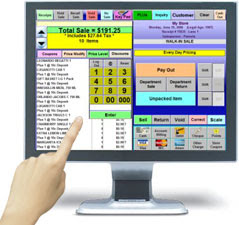
The all in one touch pc has digital features and the vendors can create and put stocks in order within a minute by just touching the screen. This creates some redundancy in work and gives them the direct control over their work. The customers need not wait for long time in a queue to pay their bills, it is done easily and the cashier who sits in front of the all in touch one pc can just scan the bar codes that are located on each item, and can create a bill by just touching the screen. The business transaction happens in a lesser time and it increases the sales margin of the business, but for all this to be done, these systems need the help retail POS software and POS hardware.


The sales people need not have much knowledge and with the accessibility of the screen, they can do their work with less effort. When you use the retail POS system, there is no need for you to remember any commands or shortcuts, and you only have to know few strokes on the keyboard. The touch screen POS system comes with resistive touch screen technology and there are some special sensors that have been planted in various parts of the screen for changes in resistance levels. The all-in-one touch pc are built with the screens that lasts for a long time and the preconfigured point of sales systems are available with the online suppliers so that you can ask the suppliers to program your retail POS systems based on your requirements.

The complete POS system helps your business to run flawlessly and at last you can be satisfied that you have served all your customers well. This helps to build a quality relationship with your clients and with the help of POS system implemented in your touch screen pc, you can design some loyalty points for your long term customers. Overall, you don’t need to run here and there and waste the time but instead, you can do all your work from one place within quick span of time.